  # Example 12.1 Simple Function References

  def func_1():
      print("Hello from function 1")

  def func_2():
      print("Hello from function 2")

  x = func_1
  x()
  x = func_2
  x()
Hello from function 1
Hello from function 2We’ve seen that we can use references to functions much like variables
e.g. map in Chapter 10 took a reference to a function and applied it element-wise to a list
filterLet’s explore this in more detail, consider the following code snippet (see SimpleFunctionReferences.py)
# Example 12.1 Simple Function References
def func_1():
print("Hello from function 1")
def func_2():
print("Hello from function 2")
x = func_1
x()
x = func_2
x()Hello from function 1
Hello from function 2We have two functions func_1 and func_2
We can assign the variable x to refer to and call each of these in turn
() called on x resolves to the function it referencesThe variable is effectively another name for the function
We still have to call it properly, e.g. (see InvalidFunctionReferences.py)
  # Example 12.2 Invalid Function References

  def func_1():
      print("Hello from func_1")

  x = func_1
  x(99)
--------------------------------------------------------------------------- TypeError Traceback (most recent call last) Cell In[2], line 7 4 print("Hello from func_1") 6 x = func_1 ----> 7 x(99) TypeError: func_1() takes 0 positional arguments but 1 was given
The above generates an error as expected, because x is given an argument 99
func_1 takes no arguments
The error resolves to the original function name (here func_1)
Recall back in Chapter 7 we created a module for getting validated user input, BTCInput
We wrote code for reading integers and floating points with an additional ranged API
Both functions pretty much looked the same except one used int() to convert user input, the other used float()
As a refresher here is read_int
  def read_int(prompt):
      while True:
          try:
              # read in the number
              number_text = read_text(prompt)
              # perform conversion to int
              result = int(number_text)
              break
          except ValueError:
              print("Please enter an integer")
      return result
We could combine these two functions into one by using a function-valued variable
i.e. the function now accepts as a argument a function that takes in a string and converts the result to the appropriate type of number
  def read_number(prompt, number_converter):
      """
      Read and convert a user-provided number

      User is prompted for a number, and the resulting
      string is converted by the supplied `number_converter`
      function

      Parameters
      ----------
      prompt : str
          string to display to the user when asking for input
      number_converter : Callable[[[str], int | float]
          function that converts a string to a number. Must
          raise a `ValueError` on invalid input

      Returns
      -------
      int | float
          User input converted to a number
      """
      while True:
          try:
              number_text = read_text(prompt)
              result = number_converter(number_text)
              break
          except ValueError:
              print("Please enter a number")
      return result
Now the call to int or float is instead replaced with a call to number_converter
As part of the documentation we have to specify the required behaviour of the number_converter function
int or floatValueError so that the error-handling code in read_number catches itread_number is a great function from our programmer perspective
read_int or read_floatread_int and read_float that pass the appropriate parameters through to read_number
  def read_float(prompt):
      return read_number(prompt=prompt, number_converter=float)
Observe when we pass a function we just pass the name, don’t use ()
Function references are complicated, work through the following questions to help your understanding
What is a function reference?
read_number is given a prompt, and a function
read_number how to convert to a numberWhy is using function references like this a good idea?
read_int and read_float we have it in one placeread_number rather than making sure both functions remain consistentIf I wrote a function that converted Roman numerals into a numeric result, could I use read_number to read Roman Numbers?
Yes, as long as that function matches the requirements for number_converter
i.e. Only takes in a string
Returns either an int or float
Raises a ValueError if an invalid Roman numeral is encountered
If we meet this API we could then use read_number e.g.
number = read_number("Enter your age in roman numerals: ", number_converter=roman_converter)There is in fact nothing (other than the name read_number) that prevents us from using this function more generally
We could let number_converter be any function that takes a string argument, and returns a value, raising a ValueError on invalid input
date_converter that asks the user for a valid date string (e.g. 12/10/2017)date objectFunction parameters are thus a form of abstraction
read_int, read_float etc)read_numberread_number actually provides a structure to parse a lot of input depending on the provided parsing function (number_converter)read_number as parse_inputWrite a function that takes a string representing roman numerals and converts it to an integer. Make this function work with the read_number API
First lets set out some ground rules. The valid roman numerals are:
| Symbol | I | V | X | L | C | D | M |
|---|---|---|---|---|---|---|---|
| Value | 1 | 5 | 10 | 50 | 100 | 500 | 1000 |
The standard form for the roman numerals is given by,
| Thousands | Hundreds | Tens | Ones | |
|---|---|---|---|---|
| 1 | M | C | X | I |
| 2 | MM | CC | XX | II |
| 3 | MMM | CCC | XXX | III |
| 4 | CD | XL | IV | |
| 5 | D | L | V | |
| 6 | DC | LX | VI | |
| 7 | DCC | LXX | VII | |
| 8 | DCCC | LXXX | VIII | |
| 9 | CM | XC | IX |
To create a value we append the appropriate thousands, hundreds, tens, and ones.
e.g. \(3698 = MMM + DC + XC + VIII = MMMDCXCVIII\)
The basic conversion rules are as follows,
Read from left to right
Consider a “digit”.
This is the basic ruleset, we could write a function to convert using these rules and be perfectly happy with it. However, in many modern use cases there are stricter syntax rules which for fun we’ll also implement, namely
Let’s now plan out our algorithm, before considering valid syntax the basic structure will be as follows,
set a running total to \(0\)
Iterate over each character
Once all the characters have been processed return the total
The easiest way to do this would be to use a dictionary lookup. We can directly convert the symbol to a value. Now let’s go one step further. We’ll define a lightweight class RomanNumeral this holds the symbol, the value and importantly also a set bookkeeping what other roman numerals this one is allowed to precede
class RomanNumeral:
    """
    Lightweight class representing a roman numeral

    Attributes
    ----------
    symbol : str
        latin character symbolising the roman numeral
    value : int
        numeric value of a roman numeral
    precedes : set[str]
        set of strings representing other roman numerals this numeral may precede
    """

    def __init__(self, symbol, value, precedes):
        """
        Create a new `RomanNumeral` Instance

        Parameters
        ----------
        symbol : str
            latin character symbolising the roman numeral
        value : int
            numeric value of a roman numeral
        repetition_limit : int
            maximum number of times the same numeral can be repeated
        precedes : set[str]
            set of strings representing other roman numerals this numeral may precede
        """
        self.symbol = symbol
        self.value = value
        self.precedes = precedes

    def may_precede(self, roman_numeral):
        """
        Checks if this numeral may precede another

        Parameters
        ----------
        roman_numeral : str
            character representing roman numeral to check if we can precede

        Returns
        -------
        `True` if `self` may precede `roman_numeral` else, `False`
        """
return roman_numeral in self.precedesmay_precede which is used to check if one symbol may precede anotherdef roman_numeral_converter(number_string):
"""
Convert a number written in roman numerals to an int
The string must be a valid roman numeral in `standard format`__
Parameters
----------
number_string : str
A valid roman numeral expression
Returns
-------
int
Result of converting the roman numeral to an int
Raises
------
ValueError
Raised if `number_string` is not a valid roman numeral
.. _standard format: https://en.wikipedia.org/wiki/Roman_numerals#Standard_form
"""
roman_numerals = {
"I": RomanNumeral("I", 1, {"I", "V", "X"}),
"V": RomanNumeral("V", 5, {"I"}),
"X": RomanNumeral("X", 10, {"I", "X", "L", "C"}),
"L": RomanNumeral("L", 50, {"I", "V", "X"}),
"C": RomanNumeral("C", 100, {"I", "V", "X", "L", "C", "M"}),
"D": RomanNumeral("D", 500, {"C", "L", "X", "V", "I"}),
"M": RomanNumeral("M", 1000, {"I", "V", "X", "L", "C", "D", "M"}),
}
def get_roman_numeral(numeral):
"""
Returns the `RomanNumeral` corresponding to the provided string
Parameters
----------
numeral : str
character representing a roman numeral digit
Returns
-------
RomanNumeral
object describing the corresponding roman numeral
Raises
------
ValueError
The provided character is not a valid roman numeral digit
"""
try:
return roman_numerals[numeral]
except KeyError:
raise ValueError(numeral, "is not a valid character for a roman numeral")get_roman_numeral is a helper function defined inside our converter
KeyError for an invalid character into a ValueError as required by the read_number interfaceset a running total to \(0\), and previous to None
Iterate over each character
ValueError is raisedValueError for violation of the repetition ruleValueError if it doesn’t existValueError if it can’tValueError since there can be no repetitions before a subtractionThe complete implementation is given by,
def roman_numeral_converter(number_string):
    """
    Convert a number written in roman numerals to an int

    The string must be a valid roman numeral in `standard format`__

    Parameters
    ----------
    number_string : str
        A valid roman numeral expression

    Returns
    -------
    int
        Result of converting the roman numeral to an int

    Raises
    ------
    ValueError
        Raised if `number_string` is not a valid roman numeral

    .. _standard format: https://en.wikipedia.org/wiki/Roman_numerals#Standard_form
    """
    roman_numerals = {
        "I": RomanNumeral("I", 1, {"I", "V", "X"}),
        "V": RomanNumeral("V", 5, {"I"}),
        "X": RomanNumeral("X", 10, {"I", "X", "L", "C"}),
        "L": RomanNumeral("L", 50, {"I", "V", "X"}),
        "C": RomanNumeral("C", 100, {"I", "V", "X", "L", "C", "M"}),
        "D": RomanNumeral("D", 500, {"C", "L", "X", "V", "I"}),
        "M": RomanNumeral("M", 1000, {"I", "V", "X", "L", "C", "D", "M"}),
    }

    def get_roman_numeral(numeral):
        """
        Returns the `RomanNumeral` corresponding to the provided string

        Parameters
        ----------
        numeral : str
            character representing a roman numeral digit

        Returns
        -------
        RomanNumeral
            object describing the corresponding roman numeral

        Raises
        ------
        ValueError
            The provided character is not a valid roman numeral digit

        """
        try:
            return roman_numerals[numeral]
        except KeyError:
            raise ValueError(numeral, "is not a valid character for a roman numeral")
total = 0
previous = None
n_reps = 0
number_string = number_string.upper().strip()
max_repeats = 3
for i, ch in enumerate(number_string):
# get the roman numeral associated with the next character
numeral = get_roman_numeral(ch)
if numeral.value == previous:
# check that we haven't repeated this numeral too many times
n_reps += 1
if n_reps > max_repeats:
raise ValueError(
ch,
"repeated {0} times, maximum is {1}".format(n_reps, max_repeats),
)
else:
n_reps = 1
if i + 1 == len(number_string): # reached the end and stop
return total + numeral.value
else:
next_numeral = get_roman_numeral(number_string[i + 1])
if not numeral.may_precede(next_numeral.symbol):
raise ValueError(
"Invalid roman numeral: {0} may not precede {1}".format(
numeral.symbol, next_numeral.symbol
)
)
# if next is larger perform subtraction if valid
if next_numeral.value > numeral.value:
if n_reps > 1:
raise ValueError(
"Invalid roman numeral: cannot repeat digits for subtraction"
)
else:
total -= numeral.value
else:
total += numeral.value
previous = numeral.value
return totalWhich we can see on some sample valid inputs,
print("I: Expected: 1, Received: {0}".format(roman_numeral_converter("I")))
print("V: Expected: 5, Received: {0}".format(roman_numeral_converter("V")))
print("X: Expected: 10, Received: {0}".format(roman_numeral_converter("X")))
print("II: Expected: 2, Received: {0}".format(roman_numeral_converter("II")))
print("III: Expected: 3, Received: {0}".format(roman_numeral_converter("III")))
print(
    "MMMDCXCVIII: Expected: 3698, Result: {0}".format(
        roman_numeral_converter("MMMDCXCVIII")
    )
)
I: Expected: 1, Received: 1
V: Expected: 5, Received: 5
X: Expected: 10, Received: 10
II: Expected: 2, Received: 2
III: Expected: 3, Received: 3
MMMDCXCVIII: Expected: 3698, Result: 3698And on a sample invalid input,
    print(
        "VV: Expected: Invalid Number, Received: {0}".format(
            roman_numeral_converter("VV")
        )
    )
--------------------------------------------------------------------------- ValueError Traceback (most recent call last) Cell In[6], line 3 1 print( 2 "VV: Expected: Invalid Number, Received: {0}".format( ----> 3 roman_numeral_converter("VV") 4 ) 5 ) Cell In[4], line 84, in roman_numeral_converter(number_string) 81 next_numeral = get_roman_numeral(number_string[i + 1]) 83 if not numeral.may_precede(next_numeral.symbol): ---> 84 raise ValueError( 85 "Invalid roman numeral: {0} may not precede {1}".format( 86 numeral.symbol, next_numeral.symbol 87 ) 88 ) 89 # if next is larger perform subtraction if valid 90 if next_numeral.value > numeral.value: ValueError: Invalid roman numeral: V may not precede V
A more comprehensive set of tests can be found in the complete program
Trusting vs Checking the Input
You can see that compared to the simple algorithm outlined for the case were we assumed the input was valid, the final algorithm is a lot longer. This is most due to it performing syntax validation at the same time as it calculates the result.
This is a common philosophical argument. Should roman_numeral_converter validate it’s input. In principle we could write a function validate_roman_numeral which would check that the string is valid. Doing it this way means we could make roman_numeral_converter itself quite lean. This has the downside that we would need to make two passes through the string now. The first to validate and the second to convert it.
There are two sides here, the safer version of roman_numeral_converter can be used anywhere and always ensures it’s input is valid. This comes at the cost that for valid input we are doing extra work checking it. Thus it’s a tradeoff, if we expect to receive valid input then we can use the fast version (and if there is perhaps a separate path that can supply invalid input we might use validate_roman_numeral), but if not we should use a protected version.
Since our implementation is designed to be for parsing user input, I’ve combined the code into one function. In the future if the design requirements changed I might revisit this choice
There’s another more simple implementation of this. If we restrict ourselves as above to the standard form then we can only represent \(1\) to \(3999\), and each has a unique representation. Thus we could create an explicit conversion dictionary that makes the string representation to the integer representation. This is a form of lookup table. We set the lookup table to be generated when the roman numeral conversion code is loaded.
# Exercise 12.1b Roman Numeral Converter
#
# Write a function that converts strings of roman numerals to an integer
#
# This implementation uses a lookup table

import itertools

import BTCInput

thousands = {"": 0, "M": 1000, "MM": 2000, "MMM": 3000}
hundreds = {
    "": 0,
    "C": 100,
    "CC": 200,
    "CCC": 300,
    "CD": 400,
    "D": 500,
    "DC": 600,
    "DCC": 700,
    "DCCC": 800,
    "CM": 900,
}
tens = {
    "": 0,
    "X": 10,
    "XX": 20,
    "XXX": 30,
    "XL": 40,
    "L": 50,
    "LX": 60,
    "LXX": 70,
    "VXXX": 80,
    "XC": 90,
}
ones = {
    "": 0,
    "I": 1,
    "II": 2,
    "III": 3,
    "IV": 4,
    "V": 5,
    "VI": 6,
    "VII": 7,
    "VIII": 8,
    "IX": 9,
}


roman_numeral_dictionary = {}

for p in itertools.product(
    thousands.items(), hundreds.items(), tens.items(), ones.items()
):
    key = ""
    value = 0
    for symbol_value_pair in p:
        key += symbol_value_pair[0]
        value += symbol_value_pair[1]
    roman_numeral_dictionary[key] = value

roman_numeral_dictionary.pop("")
We define component dictionaries for each valid roman numeral that is purely a thousands, hundreds, tens or singles expression. Any valid expression is then given by the concatenation of the strings and addition of the values. The valid expressions are thus all possible pairings which is given by the cartesian product of all the dictionaries. (We add the empty string as a key to give a \(0\) value to represent not choosing from a given set)
Once we generated all the possible pairings we then build the dictionary by iterating over the pairings and concatenating the string components to create the string. The value is similarly created by adding all the value components.
Our actual implementation of the roman numeral lookup parser is simple, we normalise the input (convert to upper case and strip whitespace), and then simply try to get the value from the dictionary. As before we convert KeyError for missing values to ValueError to comply with the read_number interface
def roman_numeral_converter(number_string):
    """
    Convert a number written in roman numerals to an int

    The string must be a valid roman numeral in `standard format`__

    Parameters
    ----------
    number_string : str
        A valid roman numeral expression

    Returns
    -------
    int
        Result of converting the roman numeral to an int

    Raises
    ------
    ValueError
        Raised if `number_string` is not a valid roman numeral

    .. _standard format: https://en.wikipedia.org/wiki/Roman_numerals#Standard_form
    """
    try:
        return roman_numeral_dictionary[number_string.upper().strip()]
    except KeyError:
        raise ValueError("{0} is not a valid roman numeral".format(number_string))
If we wanted to make this even faster, we could have used a python program to generate the dictionary, print that out and copy the lookup table into the file. However for demonstration purposes seeing how it’s generated is useful
This implementation is found in RomanNumeralLookupTable.py and passes all the same tests as the previous one
# Example 12.3 Robot Dancer
#
# Demonstrates creating collections of function references

import time


def forward():
    print("Robot moving forward")
    time.sleep(1)


def back():
    print("Robot moving backwards")
    time.sleep(1)


def left():
    print("Robot moving left")
    time.sleep(1)


def right():
    print("robot moving right")
    time.sleep(1)


dance_moves = [forward, back, left, right]

print("Dance starting")
for move in dance_moves:
    move()
print("Dance over")
Dance starting
Robot moving forward
Robot moving backwards
Robot moving left
robot moving right
Dance overblock-beta
columns 4
space
title["Breakdown of an Lambda Expression"]:2
space
block:LambdaStatement
columns 1
lambda["lambda"]
lambdaDescr["(start of the lambda)"]
end
block:Arguments
columns 1
argument["arguments"]
argumentDescr["(comma-separated list of arguments values)"]
end
block:Colon
columns 1
colon[":"]
colonDescr["colon"]
end
block:Expression
columns 1
expression["expression"]
expressionDescr["(expression to be evaluated)"]
end
classDef BG stroke:transparent, fill:transparent
class title BG
class argument BG
class argumentDescr BG
class colon BG
class colonDescr BG
class lambda BG
class lambdaDescr BG
class expression BG
class expressionDescr BG
def increment(x):
return x + 1increment = lambda x : x + 1
print(increment(1))2Work through the following steps to understand lambda expressions
Enter the following statement
numbers = [1, 2, 3, 4, 5, 6, 7, 8]numbers by \(1\)mapDefine a function increment as below, and run the following code
 def increment(x):
     return x + 1

 new_numbers = map(increment, numbers)
 print(list(new_numbers))
[2, 3, 4, 5, 6, 7, 8, 9]incrementmapRepeat the previous steps, but use a lambda as below instead of an explicit function
 new_numbers = map(lambda x : x + 1, numbers)
 print(list(new_numbers))
[2, 3, 4, 5, 6, 7, 8, 9]Create the following lambda
adder = lambda x, y : x + yaddr is a lambda expression that takes two arguments and adds themRun the following expressions to demonstrate using the lambda
adder(1, 2)3Consider the following questions about lambda expressions
What are lambda expressions?
Must I use lambda expressions in my programs?
map and filterCan a lambda function contain more than one action?
Can a lambda expression accept multiple arguments?
addr lambda which took two argumentsCan a lambda expression make decisions?
A lambda could return True or False
Can then use as a condition in programs
We can define conditional expressions to choose a value to return
  hour = 8
print("morning" if hour < 12 else "afternoon")morningFunctions as an in line if statement
        block-beta
            columns 5
            space
            title["Breakdown of a Conditional Expression"]:3
            space

            block:ValueStatement
            columns 1
                value["value"]
                valueDescr["(value of expression if true)"]
            end

            block:If
            columns 1
                if["if"]
            end

            block:Condition
            columns 1
                condition["condition"]
                conditionDescr["(True or False condition)"]
            end

            block:Else
            columns 1
                else["else"]
            end

            block:Value2
            columns 1
                value2["value"]
                value2Descr["(value of expression if true)"]
            end

        classDef BG stroke:transparent, fill:transparent
        class title BG
        class value BG
        class valueDescr BG
        class if BG
        class else BG
        class colon BG
        class colonDescr BG
        class condition BG
        class conditionDescr BG
        class value2 BG
        class value2Descr BG
- Conditional expressions can be used anywhere an expression can be
- A lambda can thus return a conditional expression
day_prompt = lambda hour : "morning" if hour < 12 else "afternoon"
print("{0} is during the day: {1}".format(8, day_prompt(8)))
print("{0} is during the day: {1}".format(13, day_prompt(13)))8 is during the day: morning
13 is during the day: afternoonDon’t worry if you don’t get lambda expressions the first time you see them
Lambda expressions can be difficult to understand at first. They blur the lines between data and program code. Our previous programs seperate the data (as values) from the code (as functions). A lambda expression is code as data. Sometimes it’s useful to be able to pass behaviours around as data and lambdas provide a way to do that
yield StatementRecall python has a concept of an iterator
Generally when we encounter iterators we work through the values they generate
range is an example, e.g. creating a sequence of numbers
  for i in range(1, 5):
      print(i)
1
2
3
4range returns a result that is an iterator producing the values \(1\) to \(4\).
When then consume the values to print them in order
range does not include the end pointIterators can be made by using the yield keyword
yield is like a function return but the function remembers its stateyield can be used to create a sequence of valuesyieldUse an interpreter to work through the following steps to learn about the yield keyword
Enter the following into the interpreter
 def my_yield():
     yield 1
     yield 2
     yield 3
yield 4my_yield contains four yield statementsDefine and run the following loop
 for i in my_yield():
     print(i)
1
2
3
4yield is printed out in turnDefine and run the following
list(my_yield())[1, 2, 3, 4]list accepts an iterator and converts it to listyieldyield can be used to make a flexible test data generator
Using a program to create test data is a great idea
If you find yourself entering lots of test data into your programs, you should write a program to do the work for you. Remember that computers were created to spare us from drudgery, not create more of it
# Example 12.5 Test Contact Generator
#
# Demonstrates using yield to generate test Contacts for the
# time tracker application


class Contact:
    def __init__(self, name, address, telephone):
        self.name = name
        self.address = address
        self.telephone = telephone
        self.hours_worked = 0

    @staticmethod
    def create_test_contacts():
        phone_number = 1000000
        hours_worked = 0
        for first_name in ("Rob", "Mary", "Jenny", "Davis", "Chris", "Imogen"):
            for second_name in ("Miles", "Brown"):
                full_name = first_name + " " + second_name
                address = full_name + "'s house"
                telephone = str(phone_number)
                telephone = telephone + str(1)
                contact = Contact(full_name, address, telephone)
                contact.hours_worked = hours_worked
                hours_worked = hours_worked + 1
yield contactContact classmake_test_contacts) cycles through a set of first and last names
's house' to the end of the name), a telephone number and hours_workedfor contact in Contact.create_test_contacts():
print(contact.name)
contacts = list(Contact.create_test_contacts())
for contact in contacts:
print(
"""{0}
Address: {1}
Telephone: {2}
Hours worked: {3}
""".format(contact.name, contact.address, contact.telephone, contact.hours_worked)
)Rob Miles
Rob Brown
Mary Miles
Mary Brown
Jenny Miles
Jenny Brown
Davis Miles
Davis Brown
Chris Miles
Chris Brown
Imogen Miles
Imogen Brown
Rob Miles
Address: Rob Miles's house
Telephone: 10000001
Hours worked: 0
Rob Brown
Address: Rob Brown's house
Telephone: 10000001
Hours worked: 1
Mary Miles
Address: Mary Miles's house
Telephone: 10000001
Hours worked: 2
Mary Brown
Address: Mary Brown's house
Telephone: 10000001
Hours worked: 3
Jenny Miles
Address: Jenny Miles's house
Telephone: 10000001
Hours worked: 4
Jenny Brown
Address: Jenny Brown's house
Telephone: 10000001
Hours worked: 5
Davis Miles
Address: Davis Miles's house
Telephone: 10000001
Hours worked: 6
Davis Brown
Address: Davis Brown's house
Telephone: 10000001
Hours worked: 7
Chris Miles
Address: Chris Miles's house
Telephone: 10000001
Hours worked: 8
Chris Brown
Address: Chris Brown's house
Telephone: 10000001
Hours worked: 9
Imogen Miles
Address: Imogen Miles's house
Telephone: 10000001
Hours worked: 10
Imogen Brown
Address: Imogen Brown's house
Telephone: 10000001
Hours worked: 11
yield to Generate Test ContactsAnswer the following questions about the previous bits of code
Why is create_test_contacts a static method?
Contact for test informationContact as test dataContact class itselfWhat is the difference between yield and return?
yield pauses function execution and bookmarks where it is, returning the yield
return returns the value and ends function execution
return does not support iteration
Consider the following,
  def yield_return():
      yield 1
      yield 2
      return 3
      yield 4

  for i in yield_return():
      print(i)
1
2The iteration only prints 1 and 2 since the third iteration encounters a return which ends the iteration (and is not included)
yield 4 statementDoes a function using yield have to return?
No
An iterator using yield could in theory run forever, e.g.
  def forever_tens():
      result = 0
      while True:
          yield result
          result = result + 10
This creates an infinitely long iteration
Each value is ten times larger than before
  for result in forever_tens():
      print(result)
      if result > 100:
          break
0
10
20
30
40
50
60
70
80
90
100
110Loop continues until the result returned by the iterator is too large
What happens to local variables in a yielded function?
forever_tens() relies on the value of result being preserved between calls to generate the continuing sequenceWe’ve seen functions like print which seem to accept a variety of arguments, e.g.
  print("a")
  print("a", "b")
a
a bWhen we’ve written functions, we’ve been able to define optional or default-valued parameters
However, we’ve always had to specify the number of variables
print accepts an arbitrary number of arguments
Let’s learn about arbitrary-argument functions by working through the following steps in the interpreter
Define the following function
 def add_function(x, y):
     return x + y
This is a function that adds two numbers
add_function(1, 2)3However if we tried to add three numbers,
add_function(1, 2, 3)--------------------------------------------------------------------------- TypeError Traceback (most recent call last) Cell In[28], line 1 ----> 1 add_function(1, 2, 3) TypeError: add_function() takes 2 positional arguments but 3 were given
We see that we get an error because there’s a mismatch between the number of arguments required and supplied
It might make sense to have a function like add_function that accepts an arbitrary number of numbers and adds them all together
We can specify to a python function that an arbitrary number of arguments are accepted with the * identifier, e.g.
  def add_function(*values):
      total = 0
      for value in values:
          total = total + value
      return total
The above could accept any number of arguments, including zero
  print(add_function())
  print(add_function(1))
  print(add_function(1,2))
  print(add_function(1,2,3))
0
1
3
6A parameter indicating an arbitrary number of parameters may be preceded by normal parameters
For example, if we wanted to force the add_function to receive at least one value
  def add_function(start, *values):
      total = start
      for value in values:
          total = total + value
      return total

  print(add_function(1))
  print(add_function(1,2))
1
3If we try and pass nothing to the above, we get an error
add_function()--------------------------------------------------------------------------- TypeError Traceback (most recent call last) Cell In[32], line 1 ----> 1 add_function() TypeError: add_function() missing 1 required positional argument: 'start'
What happens if the user already has an arbitrary number of values stored in a collection?
How do they translate a tuple say x = (1,2,3, 4) into the correct call structure?
add_function(x) since that will treat x as one variableNeed a way to unpack the contents
This is provided by the * operator
For example,
  numbers = (1, 2, 3, 4)
add_function(0, *numbers)10Each element in numbers is unpacked out into their own argument
The * Character in function arguments can cause confusion with C and C++ syntax
As discussed in python * is used to represent unpacking a collection into it’s constituent values. Other languages may use * for different meanings. An example is C and C++ where * is used to handle and manipulate pointers (memory addresses). Something to learn as you work with multiple languages - be careful not to get your syntax’s confused.
add_function called sum
sum expects its arguments to passed as an iterable though sum(numbers)10We’ve already seen that we can build python programs out of multiple source files. In this section we’ll look more closely at ways of structuring large python projects split across multiple files through the concepts of modules and packages
A python module is essentially a python file
For example the file BTCInput.py is a file that contains function definitions for reading valid input
Typically the difference between a module and a script is that a module is designed to be imported by another program
We’ve seen that we can include a module using the import statement
So if we wanted to use BTCInput to read an integer restricted to a range, we write
  import BTCInput

  age = BTCInput.read_int_ranged(prompt="Enter age: ", min_value=5, max_value=95)
  print("Your age is: ", age)
A sample interaction might then be,
Enter age:  31

Your age is: 31
Python will execute and obey all statements in a module when a module is imported
For BTCInput these are function definitions
A module could also define variables or other code that should be executed on load-
readme Function to BTCInputWe could add a readme function to BTCInput that describes the modules contents
  VERSION = "1.0.0"


  def readme():
      print(
          """Welcome to the BTCInput functions module version {0}

  BTCInput provides functions for reading numbers and strings and validating the
  user input.

  The functions are used as follows:
  text = read_text(prompt)
  int_value = read_int(prompt)
  int_float = read_float(prompt)
  int_value = read_int_ranged(prompt, min_value, max_value)
  float_value = read_float_ranged(prompt, min_value, max_value)

  BTCInput also provides read_number and read_number_ranged which can be
  used in conjunction with a user-defined function to provide custom
  number parsing behaviour

  Have fun with them.
  Rob Miles""".format(VERSION)
      )
readme displays a string which provides the user with some basic usage information
We’ve added a little variable that tracks the version of the file - automatically updated in the documentation
The user has to manually call the readme though
Later we’ll see how to generate the description text directly from the code docstring (View Program Documentation)
readme
BTCInput automatically sees the documentation # all the BTCInput functions go here
# end of the file
readme()Welcome to the BTCInput functions module version 1.0.0
BTCInput provides functions for reading numbers and strings and validating the
user input.
The functions are used as follows:
text = read_text(prompt)
int_value = read_int(prompt)
int_float = read_float(prompt)
int_value = read_int_ranged(prompt, min_value, max_value)
float_value = read_float_ranged(prompt, min_value, max_value)
BTCInput also provides read_number and read_number_ranged which can be
used in conjunction with a user-defined function to provide custom
number parsing behaviour
Have fun with them.
Rob MilesPrinting the readme is useful when the actual module is executed
However, would like a way to turn this off when the module is imported
Python provides the __name__ variable
If a module is imported, __name__ is set to the name of the module
If a module is running as the original code that started the program, then __name__ is set to __main__
Can thus be used to restrict code that we don’t want to run outside of the __main__ context (or alternatively on import)
  if __name__ == "__main__":
readme()Click here to access the updated version of BTCInput
Run the file through the interpreter, you should see the readme be displayed. Then replace the implementation of BTCInput in one of the previous examples with this new implementation and run that program. You should see that the the readme will not be displayed even though the file is imported
StockItem, FashionShop)FashionShopApplication)FashionShopApplication.py
FashionShopApplication.py imported StockItem.py and FashionShop.py to get the associated class components__init__.py file is used to mark a package.
├── Data
│ ├── FashionShop.py
│ ├── StockItem.py
│ └── __init__.py
├── FashionShopShellUI.py
└── UI
├── BTCInput.py
├── FashionShopApplication.py
└── __init__.pyUI contains the classes responsible for handling the user
Currently these are all shell-based
If in the future we introduce a GUI option we might create subpackages for UI
ShellUI for shell-based interactivityGUI for graphical-based interactivityAlso contains an __init__.py file
Data contains the classes responsible for handling the fashion shop data
StockItem class, and the FashionShop container class__init__.pyOutside the class structure we define a FashionShopShellUI.py which is the entry point file
__init__.pyConsider the following questions about modules
How do I decide which module goes in which package?
Related classes and functions should be in the same package
For the fashion shop as we’ve identified the types of modules are
FashionShopApplication.py and BTCInput.py)FashionShop and StockItem)What does the __init__.py file in a package do?
__init__.py controls how a package is loaded__init__.py is ran when a package is first opened
Modules can be imported from packages
from Data import FashionShopContents of the FashionShop module now available
Can be used as we’ve seen before
shop = FashionShop.FashionShop()As we’ve talked before the FashionShop class is namespaced by the module FashionShop.py (minus the .py extension)
If there was another FashionShop defined in another package (say DataStorage.py) we can differentiate them, e.g.
shop2 = DataStorage.FashionShop()We could also just import the higher level package (Data) like a module, i.e.
import DataContents of the Data package now available
Adds another level of namespacing, e.g. setting accessing the FashionShop class is now
shop = Data.FashionShop.FashionShop()Classes can be used as values just as we’ve seen with functions. Work through the following steps in the python interpreter to understand how this works
Enter the statements below into the python interpreter
 class VarTest:
     def __init__(self):
         print("making a VarTest")
This creates a class VarTest with a constructor
Constructor simply prints a message
We can create a VarTest instance easily enough
x = VarTest()making a VarTestWe can see the __init__ method is called and we create a new VarTest instance, referenced by x
Now assign the class definition itself to a variable, as in the statement below
y = VarTestObserve no parentheses around VarTest
Mirrors the case where we want a reference to a function
y has the value of VarTest which is the class definition itself
y is effectively an alias for VarTest and can be used the same way, e.g.
z = y()making a VarTestWe can see that this creates a new VarTest instance and assigns it to z
z = Vartest() directlyClass references can be treated as any other data, including
The statement below sets the variable shop to the class definition of the FashionShop
shop = FashionShop.FashionShopOur UI shouldn’t need to know about the underlying data representation directly
shop as an argumentWork through the following questions to understand how class references work
What are the benefits of using class references?
How do we introduce class references in a program?
We’ll write a program FashionShopShellUI.py that handles connecting the components together
  # Example 12.8a Modular Fashion Shop
  #
  # Provides the entry point and coordinating behaviour for a modularised
  # implementation of the Fashion Shop Application


  from Data import FashionShop
  from UI import FashionShopApplication

  # load the UI implementation
  ui = FashionShopApplication.FashionShopApplication

  # load the data management implementation
  shop = FashionShop.FashionShop

  app = ui(filename="fashionshop.pickle", storage_class=shop)
We start by defining on ui and shop classes which take the UI implementation in FashionShopApplication and FashionShop respectively
We then have to create our application
ui)
shop to define how the data is managedFashionShopApplication we’ll have to implementLet’s update the FashionShopApplication API
__init__ methodFashionShop with calls to this class reference class FashionShopApplication:
"""
Provides a text-based interface for Fashion Shop inventory management
"""
def __init__(self, filename, storage_class):
"""
Creates a new `FashionShopApplication`
Attempts to load a `FashionShop` from the provided file. Otherwise
an empty instance is created
Parameters
----------
filename : str
path to a file containing pickled `FashionShop` data
storage_class : Data Manager
class that supports the Fashion Shop Data Management API
See Also
--------
FashionShop : Main class for handling inventory management
"""
FashionShopApplication.__filename = filename
try:
self.__shop = storage_class.load(filename)
except: # noqa: E722
print("Failed to load Fashion Shop")
print("Creating an empty Fashion Shop")
self.__shop = storage_class()__init__ so we have to make sure we update the docstring appropriatelyNow we want to start running the program as before
app.main_menu()There is one small step as well which is to update the import statements in FashionShopApplication.py
No longer explicitly requires FashionShop
Needs to import StockItem from the Data package
Needs to import BTCInput from the UI package
  - import BTCInput
  + from UI import BTCInput
  - import StockItem
  + from Data import StockItem
- import FashionShopPython imports can be Confusing
An annoying feature of python import statements is that they are resolved relative to the directory where the entry point is. This means that even though BTCInput is in the same package as FashionShopApplication we can’t write
import BTCInputbut instead have to write
from UI import BTCInputThis is rather annoying because in theory FashionShopApplication shouldn’t need to care what folder it’s located in, let alone where the starting point is. If we wanted to write another higher level program that contained our entire fashion shop application as a package this would break the imports. The way to resolve this is to install the packages, but that’s beyond the scope for now
FashionShopApplication to something more descriptive like FashionShopShellUsing classes as values is an extremely powerful programming technique
The technique of passing functions or classes as arguments to higher-level classes or functions is called dependency injection. The idea is that if a class or function uses the interface of another class or function rather than hardcoding what the implementation of that interface is, we allow the implementation to be passed in as an argument (i.e. we inject the behaviour we want to implement)
The idea is to let us change how the behaviours specified by an API are implemented, for example we can use this to switch between a basic shell ui, a terminal-based ui or a full graphical ui. We might also want to switch our data storage layer from an in-memory approach to one that uses a database. If we hardcode the higher level implementation (i.e. a class that uses an in-memory loader and a shell ui) then we have to create many new implementations to support the desired behaviour. For example if we implement all the above options as hard coded classes we would have,
In other words, we created three new classes (2 new UI classes and one data storage class) but then had to define five additional classes to handle creating our application. With dependency injection there is no need to define new classes, we just swap out what class references we are using and pass them through to the high level application constructor.
This design also makes it much easier to test large components because we can inject a test implementation.
Testing is part of the process of validating that a program meets requirements
Tests should be
Let’s consider implementing tests for the StockItem from the Fashion Shop Application
We need to start by defining what features we want to test
StockItem instances have correctly set values for their attributesStockItem are rejectedStockItem methods behave as expectedWe could start with manual testing
StockItem using the interpreter and check the behavioursHowever this is clearly not automatic
It is difficult to repeat since we have to follow the steps clearly
Hard to document
Better is to write code that automatically tests the class
print statements that output an expected versus actual valueAn improvement might be to use exceptions, e.g.
  item = StockItem(stock_ref="Test", price=10, tag="test:tag")
  if item.stock_level != 0:
      raise Exception("Initial Stock level not 0")
This means that any failed test will stop the program and alert the user
How could we test code that is supposed to throw an exception?
We could write a wrapper, e.g.
  excepted = False
  try:
      """
      Test behaviour that
      should raise an exception
      goes here
      """
  except: # ideally specify the exact exception we expect
      excepted = True

  if not excepted:
      raise Exception("Test Failed: No Exception raised")
Ideally define lots of small tests
Repeat the relevant tests each time part of a program is updated
On large programs tests might be run automatically every day, night etc.
Python provides some tools for making testing easier to implement
assert StatementPython defines the assert keyword
Let’s programs test as they run
Assert means “ensure this is true”
We can rewrite the previous test using assert
  item = StockItem(stock_ref="Test", price=10, tags="test:tag")
  assert item.stock_level == 0
Let’s see what happens if the assert fails
StockItem class with a non-zero starting stock level class StockItem:
def __init__(self, stock_ref, price, tags):
self.stock_level = 1
item = StockItem(stock_ref="Test", price=10, tags="test:tag")
assert item.stock_level == 0--------------------------------------------------------------------------- AssertionError Traceback (most recent call last) Cell In[42], line 6 3 self.stock_level = 1 5 item = StockItem(stock_ref="Test", price=10, tags="test:tag") ----> 6 assert item.stock_level == 0 AssertionError:
As we can see an AssertionError is raised
Work through the following questions about assert statements
How many assert statements can a program contain?
Does the program continue after an assertion has failed?
try...catch block may allow the program to recoverunittest Moduleassert lets us write checks that execute in code
unittest is provided as part of the python standard installation
Imported the usual way
import unittestStockItem implementationclass StockItem:
"""
Represents a single inventory item
Attributes
----------
stock_ref : str
reference id of the stock item
tags : set[str]
set of tags describing the stock item
Class Attributes
----------------
show_instrumentation : bool
Indicates if instrumentation should be printed
max_stock_add : int
maximum amount of stock that can be added to an item's stock level at a time
min_price : int | float
minimum price of any stock item
max_price : int | float
maximum price of any stock item
"""
show_instrumentation = True
max_stock_add = 10
min_price = 0.5
max_price = 500
def __init__(self, stock_ref, price, tags):
"""
Creates a `StockItem` instance
Parameters
----------
stock_ref : str
stock reference id
price : int | float
stock price
tags : set[str]
set of tags describing the stock item
"""
if StockItem.show_instrumentation:
print("**StockItem __init__ called")
self.stock_ref = stock_ref
self.__price = price
self.tags = tags
self.__stock_level = 0
self.__StockItem_version = 4
def __str__(self):
if StockItem.show_instrumentation:
print("**StockItem __str__ called")
template = """Stock Reference: {0}
Price: {1}
Stock level: {2}
Tags: {3}"""
return template.format(self.stock_ref, self.price, self.stock_level, self.tags)
@property
def price(self):
"""
price : int | float
dress price
"""
if StockItem.show_instrumentation:
print("**StockItem get price called")
return self.__price
@property
def stock_level(self):
"""
stock_level : int
amount of stock in inventory
"""
if StockItem.show_instrumentation:
print("**StockItem get stock_level called")
return self.__stock_level
def check_version(self):
"""
Checks the version of a `StockItem` instance and upgrades it if required
Returns
-------
None
"""
if StockItem.show_instrumentation:
print("**StockItem check_version called")
if self.__StockItem_version != 4:
print("Stock item uses old data model, please recreate this item")
def add_stock(self, count):
"""
Add stock to an item
Parameters
----------
count : int
amount of stock to add to an item
Returns
-------
None
Raises
------
Exception
raised if `count` < 0 or `count` > `StockItem.max_stock_add`
See Also
--------
StockItem.max_stock_add : maximum amount of stock that can be added to a `StockItem`
"""
if StockItem.show_instrumentation:
print("**StockItem add_stock called")
if count < 0 or count > StockItem.max_stock_add:
raise Exception("Invalid add amount")
self.__stock_level = self.__stock_level + count
def sell_stock(self, count):
"""
Sell stock of an item
Decreases the item's stock level
Parameters
----------
count : int
amount of stock to sell
Returns
-------
None
Raises
------
Exception
raised if `count` < 1 or `count` is greater than the available stock
"""
if StockItem.show_instrumentation:
print("**StockItem sell_stock called")
if count < 1:
raise Exception("Invalid number of items to sell")
if count > self.__stock_level:
raise Exception("Not enough stock to sell")
self.__stock_level = self.__stock_level - countLet’s use unittest to write some unit tests
unittest provides a class (TestCase) that acts as a superclass for tests
We create our tests by subclassing TestCase
First we’ll write a test for the initializer
  class TestStockItem(unittest.TestCase):

      def test_StockItem_init(self):
          item = StockItem(stock_ref="Test", price=10, tags="test:tag")
          self.assertEqual(item.stock_ref, "Test")
          self.assertEqual(item.price, 10)
          self.assertEqual(item.stock_level, 0)
          self.assertEqual(item.tags, "test:tag")
TestStockItem is our test class
test_StockItem_init tests the __init__ correctly sets the values on a StockItem instanceself.assertEqual is a method inherited from the TestCase superclass
assert in that it checks that the value passed as the first argument matches the value in the second argument
We can run the test by calling the main method for the unittest module
unittest.main().**StockItem __init__ called
**StockItem get price called
**StockItem get stock_level called
----------------------------------------------------------------------
Ran 1 test in 0.001s

OK
<unittest.main.TestProgram at 0x7f91a4897890>verbosity parameter
unittest.main(verbosity=2)test_StockItem_init (__main__.TestStockItem.test_StockItem_init) ... ok
----------------------------------------------------------------------
Ran 1 test in 0.001s
OK**StockItem __init__ called
**StockItem get price called
**StockItem get stock_level called<unittest.main.TestProgram at 0x7f91a4639010>Attempting to run unittest in an IPython Notebook may cause issues
For IPython Notebooks such as the ones I have used to type up these notes, calling unittest.main() as written above fails to work due to intricacies with how the IPython works. The correct usage in that case is,
unittest.main(argv=['first-arg-is-ignored'], exit=False)See Stack Overflow for an explanation
What happens if a test fails?
    class TestAlwaysFails(unittest.TestCase):

      def test_that_fails(self):
          self.assertEqual(1, 0)
The above defines a test that trivially fails, if we run our unit tests then
unittest.main()F.
======================================================================
FAIL: test_that_fails (__main__.TestAlwaysFails.test_that_fails)
----------------------------------------------------------------------
Traceback (most recent call last):
File "/tmp/ipykernel_3198/3483629732.py", line 4, in test_that_fails
self.assertEqual(1, 0)
AssertionError: 1 != 0
----------------------------------------------------------------------
Ran 2 tests in 0.001s
FAILED (failures=1)**StockItem __init__ called
**StockItem get price called
**StockItem get stock_level called<unittest.main.TestProgram at 0x7f91a47c1310>The output indicates that tests have failed
Also specifies the specific failed test
There are a range of possible assertion conditions for statements
| Test Function | Test Action | Use Case |
|---|---|---|
assertEqual(a,b) |
Asserts that a is the same as b |
Test that two values are the same |
assertNotEqual(a, b) |
Asserts that a is not the same as b |
Test that two values differ |
assertTrue(a) |
Asserts that a is True |
Test a boolean expression is true |
assertFalse(b) |
Asserts that b is False |
Test a boolean expression is false |
assertIs(a, b) |
Assert that a and b refer to the same object |
Test if two references (variables) refer to the same underlying memory object |
assertIsNot(a, b) |
Assert that a and b refer to different objects |
Test two references refer to different memory objects |
assertIsNone(a) |
Assert that r is None |
Test a variable is explicitly the None value |
assertIsNotNone(a) |
Assert that a is not None |
Test a variable is explicitly not the None value |
assertIn(a, b) |
Assert that a is in the collection b |
Test a value is in a collection |
assertNotIn(a, b) |
Assert that a is not in the collection b |
Test a value is not in a collection |
assertIsInstance(a, b) |
Assert that a is an instance of type b |
Test that a reference refers to an object of a specific type |
assertNotIsInstance(a, b) |
Assert that a is not an instance of type b |
Test a reference does not refer to a particular object type |
  item = StockItem(stock_ref="Test", price=10,  tags="test:tag")
item.add_stock(-1)assertRaises to test for exceptions, e.g.import unittest
class TestStockItem(unittest.TestCase):
def test_StockItem_invalid_sell_stock_raises_exception(self):
item = StockItem(stock_ref="Test", price=10, tags="test:tag")
with self.assertRaises(Exception):
item.add_stock(-1).
----------------------------------------------------------------------
Ran 1 test in 0.001s
OK**StockItem __init__ called
**StockItem add_stock called<unittest.main.TestProgram at 0x7f91a46398b0>assertRaises as argumentsassertRaises works slightly differently to the other testsassertRaises context manager using the with keyword
assertRaises then attempts to catch the exception specified in it’s initializerunittest makes it very easy to add tests to a project class TestStockItem(unittest.TestCase):
def test_StockItem_add_and_sell_stock(self):
item = StockItem(stock_ref="Test", price=10, tags="test:tag")
self.assertEqual(item.stock_level, 0)
item.add_stock(10)
self.assertEqual(item.stock_level, 10)
item.sell_stock(2)
self.assertEqual(item.stock_level, 8) unittest.main(verbosity=2)test_StockItem_add_and_sell_stock (__main__.TestStockItem.test_StockItem_add_and_sell_stock) ... ok
----------------------------------------------------------------------
Ran 1 test in 0.001s
OK**StockItem __init__ called
**StockItem get stock_level called
**StockItem add_stock called
**StockItem get stock_level called
**StockItem sell_stock called
**StockItem get stock_level called<unittest.main.TestProgram at 0x7f91a48764e0>unittest can be used to create more complex testing scenarios
Tests only prove the existence of faults
Tests are important and should always be included when making a program. Test’s do not guarantee that a program is correctly implemented, just that it passes the specific tests. It is typically impossible to test all possible paths through a program. Bugs can therefore exist even for extensive testing suites. You should form a habit of reviewing your code to ensure it works, alongside using automated testing to provide an additional layer of protection
StockItemThe provided example tests, check only a limited portion of the StockItem functionality. First remove the automatically failing test, then implement additional tests to check more features of StockItem. For example, you should check that an exception is raised if sell_stock is passed a value greater than the current value of stock_level
We’ll try and implement a logical sequence of tests, such that each test, tests one functionality, and relies only on functionality that is tested by another test. In general we want to typically only have a single assert in a test, so that we can clearly identify the failure point. Let’s go through method by method
class TestStockItem(unittest.TestCase):
    def test_init(self):
        item = StockItem.StockItem(stock_ref="Test", price=10, tags="test:tag")
        self.assertEqual(item.stock_ref, "Test")
        self.assertEqual(item.price, 10)
        self.assertEqual(item.stock_level, 0)
        self.assertEqual(item.tags, "test:tag")
We don’t need to modify this __init__ check, it checks all the attributes
Next we want to test the __str__ method
  def test_str(self):
      item = StockItem.StockItem(stock_ref="Test", price=10, tags="test:tag")
      expected_str = """Stock Reference: Test
Price: 10
Stock level: 0
Tags: test:tag"""
self.assertEqual(str(item), expected_str)__init__ has been testedassertEqual on the str(item) call, and then expected_strNow lets test the add_stock method
There are three cases to consider here
Let’s implement these as three distinct tests
  def test_add_stock(self):
      item = StockItem.StockItem(stock_ref="Test", price=10, tags="test:tag")
      item.add_stock(10)
      self.assertEqual(item.stock_level, 10)

  def test_add_stock_greater_than_maximum_raises_exception(self):
      item = StockItem.StockItem(stock_ref="Test", price=10, tags="test:tag")
      with self.assertRaises(Exception):
          item.add_stock(StockItem.StockItem.max_stock_add + 1)

  def test_add_negative_stock_raises_exception(self):
      item = StockItem.StockItem(stock_ref="Test", price=10, tags="test:tag")
      with self.assertRaises(Exception):
item.add_stock(-1)Now lastly, we have to implement the corresponding checks for sell_stock
Again we’ll implement these as independent tests
    def test_sell_stock(self):
      item = StockItem.StockItem(stock_ref="Test", price=10, tags="test:tag")
      item.add_stock(10)
      item.sell_stock(2)
      self.assertEqual(item.stock_level, 8)

  def test_sell_zero_stock_raises_exception(self):
      item = StockItem.StockItem(stock_ref="Test", price=10, tags="test:tag")
      item.add_stock(10)
      with self.assertRaises(Exception):
          item.sell_stock(0)

  def test_sell_negative_stock_raises_exception(self):
      item = StockItem.StockItem(stock_ref="Test", price=10, tags="test:tag")
      item.add_stock(10)
      with self.assertRaises(Exception):
          item.sell_stock(-1)

  def test_sell_stock_greater_than_stock_level_raises_exception(self):
      item = StockItem.StockItem(stock_ref="Test", price=10, tags="test:tag")
      with self.assertRaises(Exception):
item.sell_stock(1)add_stocktest_sell_zero_stock_raises_exception and test_sell_negative_stock_raises_exception we use add_stock
add_stock is tested, so we know it won’t break these testsWe can then run these tests,
unittest.main(verbosity=2)test_add_negative_stock_raises_exception (__main__.TestStockItem.test_add_negative_stock_raises_exception) ... ok
test_add_stock (__main__.TestStockItem.test_add_stock) ... ok
test_add_stock_greater_than_maximum_raises_exception (__main__.TestStockItem.test_add_stock_greater_than_maximum_raises_exception) ... ok
test_init (__main__.TestStockItem.test_init) ... ok
test_sell_negative_stock_raises_exception (__main__.TestStockItem.test_sell_negative_stock_raises_exception) ... ok
test_sell_stock (__main__.TestStockItem.test_sell_stock) ... ok
test_sell_stock_greater_than_stock_level_raises_exception (__main__.TestStockItem.test_sell_stock_greater_than_stock_level_raises_exception) ... ok
test_sell_zero_stock_raises_exception (__main__.TestStockItem.test_sell_zero_stock_raises_exception) ... ok
test_str (__main__.TestStockItem.test_str) ... ok
----------------------------------------------------------------------
Ran 9 tests in 0.007s
OK<unittest.main.TestProgram at 0x7f91a47affb0>In Chapter 5 we designed the Ride Selector Program. When designing the UI, we considered how we would implement testing. Update the program to use unittest. You may need to refactor the code to introduce testability
The most recent version of Ride Selector is given as an exercise in Chapter 7 so we’ll use that version as our starting point.
As noted, the program as written is not amenable to testing. Everything is one big nested loop and the outputs printed directly to the terminal. We first need to refactor this program into one suitable for testing.
Let’s first start by defining a lightweight Ride class. Looking at our code we can see a ride has a name, and then optionally a maximum or minimum age. There is also a global minimum and maximum age limit.
class Ride:
    """
    A class representing a theme park amuse ride rider limitations

    Attributes
    ----------
    name : str
        name of the ride

    min_age : int
        minimum age in years to ride

    max_age : int
        maximum age in years to ride, must be greater than or equal to `min_age`

    Class Attributes
    ----------------
    ride_min_age : int
        minimum `min_age` for any ride

    ride_max_age : int
        maximum `max_age` for any ride

    """

    ride_min_age = 1
    ride_max_age = 95

    @staticmethod
    def is_valid_age_limit(age):
        """
        Check a proposed ride age limit is valid

        Parameters
        ----------
        age : int
            proposed age limit in years

        Returns
        -------
        bool
            `True` if `age` is an allowed age limit, else `False`

        See Also
        --------
        Ride.ride_min_age : minimum valid age limit for a ride
        Ride.ride_max_age : maximum valid age limit for a ride
        """
        return Ride.ride_min_age <= age <= Ride.ride_max_age

    def __init__(self, name, min_age, max_age):
        """
        Creates a new `Ride` instance

        Parameters
        ----------
        name : str
            name of the ride
        min_age : int
            minimum age (inclusive) to ride in years
        max_age : int
            maximum age to ride (inclusive) to ride in years.
            `max_age` must be `>= min_age`

        Raises
        ------
        ValueError
            Raised if `max_age` is `< min_age`
        ValueError
            Raised if `min_age` or `max_age` is not a valid age limit

        See Also
        --------
        Ride.is_valid_age_limit : Checks that ages are valid
        """
        if not Ride.is_valid_age_limit(min_age):
            raise ValueError(
                "{0} is not a valid age for the minimum age limit".format(min_age)
            )
        if not Ride.is_valid_age_limit(max_age):
            raise ValueError(
                "{0} is not a valid age for the maximum age limit".format(max_age)
            )
        if max_age < min_age:
            raise ValueError(
                "maximum age ({0}) must be greater than or equal to minimum age ({1})".format(
                    max_age, min_age
                )
            )
        self.name = name
        self.min_age = min_age
        self.max_age = max_age

    def __str__(self):
        return str(self.name)

    def in_age_limit(self, age):
        """
        Validate that an age is within the limits of the ride

        Parameters
        ----------
        age : int
            age in years to validate is within the age limit

        Returns
        -------
        bool
            `True` if the age is within the ride limits, else `False`
        """
        return self.min_age <= age <= self.max_age
The resulting class is lightweight
We define class variables ride_min_age and ride_max_age for the global minimum and maximum ages
We provide a function, is_age_valid_age_limit as a static method that checks a provided age is within these limits
Ride uses this internally to validate the min_age and max_age passed in __init__Defining our tests for is_age_valid_age_limit
  class TestRide(unittest.TestCase):
  """
  Test class implementing unit tests for the `Ride` class
  """

      # Test case for `is_valid_age_limit`

      def test_is_valid_age_accepts_normal_age(self):
          self.assertTrue(RideSelector.Ride.is_valid_age_limit(always_valid_middle_age))

      def test_is_valid_age_accepts_min_age(self):
          self.assertTrue(
              RideSelector.Ride.is_valid_age_limit(RideSelector.Ride.ride_min_age)
          )

      def test_is_valid_age_accepts_max_age(self):
          self.assertTrue(
              RideSelector.Ride.is_valid_age_limit(RideSelector.Ride.ride_max_age)
          )

      def test_is_valid_age_rejects_less_than_min_age(self):
          self.assertFalse(
              RideSelector.Ride.is_valid_age_limit(RideSelector.Ride.ride_min_age - 1)
          )

      def test_is_valid_age_rejects_greater_than_max_age(self):
          self.assertFalse(
              RideSelector.Ride.is_valid_age_limit(RideSelector.Ride.ride_max_age + 1)
          )
We can see there a range of test cases
ride_min_age and ride_max_age) are acceptedNext we can define our __init__ and __str__ methods
    def __init__(self, name, min_age, max_age):
        """
        Creates a new `Ride` instance

        Parameters
        ----------
        name : str
            name of the ride
        min_age : int
            minimum age (inclusive) to ride in years
        max_age : int
            maximum age to ride (inclusive) to ride in years.
            `max_age` must be `>= min_age`

        Raises
        ------
        ValueError
            Raised if `max_age` is `< min_age`
        ValueError
            Raised if `min_age` or `max_age` is not a valid age limit

        See Also
        --------
        Ride.is_valid_age_limit : Checks that ages are valid
        """
        if not Ride.is_valid_age_limit(min_age):
            raise ValueError(
                "{0} is not a valid age for the minimum age limit".format(min_age)
            )
        if not Ride.is_valid_age_limit(max_age):
            raise ValueError(
                "{0} is not a valid age for the maximum age limit".format(max_age)
            )
        if max_age < min_age:
            raise ValueError(
                "maximum age ({0}) must be greater than or equal to minimum age ({1})".format(
                    max_age, min_age
                )
            )
        self.name = name
        self.min_age = min_age
        self.max_age = max_age

    def __str__(self):
        return str(self.name)
The __init__ checks that the passed min_range and max_range are valid
min_range and max_range follow the correct orderingOnce the input is validated just sets the appropriate data values
Our __str__ method is defined to simply return self.name as a string
We have a few tests here
min_age is rejectedmax_age is rejectedmin_age may not be greater than max_age # Test cases for init
def test_init_sets_attributes_correctly(self):
ride = RideSelector.Ride(
"Test", min_age=always_valid_middle_age, max_age=always_valid_middle_age
)
self.assertEqual(ride.name, "Test")
self.assertEqual(ride.min_age, always_valid_middle_age)
self.assertEqual(ride.max_age, always_valid_middle_age)
def test_init_raises_valueerror_on_invalid_min_age(self):
with self.assertRaises(ValueError):
ride = RideSelector.Ride( # noqa: F841
"Test",
min_age=RideSelector.Ride.ride_min_age - 1,
max_age=always_valid_middle_age,
)
def test_init_raises_valueerror_on_invalid_max_age(self):
with self.assertRaises(ValueError):
ride = RideSelector.Ride( # noqa: F841
"Test",
min_age=always_valid_middle_age,
max_age=RideSelector.Ride.ride_max_age + 1,
)
def test_init_raises_value_error_if_max_age_less_than_min_age(self):
with self.assertRaises(ValueError):
ride = RideSelector.Ride( # noqa: F841
"Test",
min_age=RideSelector.Ride.ride_max_age + 1,
max_age=RideSelector.Ride.ride_min_age - 1,
)
def test_str_returns_ride_name(self):
ride = RideSelector.Ride(
"Test",
min_age=always_valid_middle_age,
max_age=always_valid_middle_age,
)
self.assertEqual(str(ride), "Test")Ride is one that now checks if a given age is accepted by the specific Ride instance def in_age_limit(self, age):
"""
Validate that an age is within the limits of the ride
Parameters
----------
age : int
age in years to validate is within the age limit
Returns
-------
bool
`True` if the age is within the ride limits, else `False`
"""
return self.min_age <= age <= self.max_ageWe pretty much want to test the same cases as for is_valid_age_limit
      def test_in_age_limit_accepts_valid_age(self):
      ride = RideSelector.Ride(
          "Test",
          min_age=always_valid_middle_age,
          max_age=always_valid_middle_age,
      )
      self.assertTrue(ride.in_age_limit(always_valid_middle_age))

  def test_in_age_limit_rejects_too_small_age(self):
      ride = RideSelector.Ride(
          "Test",
          min_age=always_valid_middle_age,
          max_age=always_valid_middle_age,
      )
      self.assertFalse(ride.in_age_limit(ride.min_age - 1))

  def test_in_age_limit_rejects_too_large_age(self):
      ride = RideSelector.Ride(
          "Test",
          min_age=always_valid_middle_age,
          max_age=always_valid_middle_age,
      )
      self.assertFalse(ride.in_age_limit(ride.max_age + 1))
Next we construct our RideSelector class
RideSelector starts with a basic __init__ method that populates it with a preset lookup table of rides
The __str__ method converts the tuple of rides into an indexed list as a string
We’ll ignore testing the __init__ method for now
__str__ uses a quite complicated lambda though to perform it’s magic
x. value where x is the \(index + 1\) (since we want to convert from \(0\)-indexed to \(1\)-indexed) and value is the actual valuemap to apply the lambda to all elements of the enumerate object"\n".joinWe’ll define a new test class for the RideSelector tests
__str__ test will take define an expected string and compare this to the result of calling the __str__ method class TestRideSelector(unittest.TestCase):
"""
Test cases for the `RideSelector` class
"""
# test str method
def test_str_creates_enumerated_table(self):
ride_selector = RideSelector.RideSelector()
expected_str = """1. Scenic River Cruise
2. Carnival Carousel
3. Jungle Adventure Water Splash
4. Downhill Mountain Run
5. The Regurgitator"""
self.assertEqual(str(ride_selector), expected_str)Next we define a get_ride method that converts a user selection of a ride into the corresponding ride object
This has a simple implementation
      def get_ride(self, index):
      """
      Get's the ride associated with a given index

      Parameters
      ----------
      index : int
          integer greater than zero corresponding a ride index

      Returns
      -------
      Ride
          the ride stored by the given index

      Raises
      ------
      ValueError
          Raised if `index <= 0`
      IndexError
          Raised if the no ride exists for the given index
      """
      if index <= 0:
          raise ValueError("index must be a positive integer")
      return self._rides[index - 1]
There are clear cases to test here
Ride instanceValueErrorIndexError # test get_ride method
def test_get_ride_returns_expected_ride(self):
ride_selector = RideSelector.RideSelector()
ride = ride_selector.get_ride(1)
self.assertEqual(str(ride), "Scenic River Cruise")
def test_get_ride_raises_valueerror_on_zero_index(self):
ride_selector = RideSelector.RideSelector()
with self.assertRaises(ValueError):
ride_selector.get_ride(0)
def test_get_ride_raises_valueerror_on_invalid_index(self):
ride_selector = RideSelector.RideSelector()
with self.assertRaises(IndexError):
ride_selector.get_ride(99)Our last testable component in then, check_age_against_ride
Ride.is_valid_age_limitin_age_limit method def check_age_against_ride(self, ride, age):
"""
Provides a string describing in a rider of `age` years can ride the Ride `ride`
Parameters
----------
ride : Ride
ride to check the age against
age : int
age of the prospective rider in years
Returns
-------
str
string describing if a rider of `age` years can ride `ride`
"""
if age < Ride.ride_min_age:
return "You are too young to go on any rides"
elif age > Ride.ride_max_age:
return "You are too old to go on any rides"
elif age < ride.min_age:
return "Sorry, you are too young"
elif age > ride.max_age:
return "Sorry, you are too old"
else:
return "You can go on the ride"We want to test these strings are returned correctly
There are a few cases
Luckily since string literals are returned, we can check this easily
      # test check age against ride

  def test_too_young_for_any_ride(self):
      ride_selector = RideSelector.RideSelector()
      ride = ride_selector.get_ride(1)
      self.assertEqual(
          "You are too young to go on any rides",
          ride_selector.check_age_against_ride(
              ride, RideSelector.Ride.ride_min_age - 1
          ),
      )

  def test_too_old_for_any_ride(self):
      ride_selector = RideSelector.RideSelector()
      ride = ride_selector.get_ride(1)
      self.assertEqual(
          "You are too old to go on any rides",
          ride_selector.check_age_against_ride(
              ride, RideSelector.Ride.ride_max_age + 1
          ),
      )

  def test_too_young_for_specific_ride(self):
      ride_selector = RideSelector.RideSelector()
      ride = ride_selector.get_ride(5)
      self.assertEqual(
          "Sorry, you are too young",
          ride_selector.check_age_against_ride(ride, ride.min_age - 1),
      )

  def test_too_old_for_specific_ride(self):
      ride_selector = RideSelector.RideSelector()
      ride = ride_selector.get_ride(5)
      self.assertEqual(
          "Sorry, you are too old",
          ride_selector.check_age_against_ride(ride, ride.max_age + 1),
      )

  def test_valid_age_is_accepted(self):
      ride_selector = RideSelector.RideSelector()
      ride = ride_selector.get_ride(5)
      self.assertEqual(
          "You can go on the ride",
          ride_selector.check_age_against_ride(ride, ride.min_age),
      )
The last step is to the then run the tests
unitttest.main()...............................
----------------------------------------------------------------------
Ran 31 tests in 0.028s
OK<unittest.main.TestProgram at 0x7f91a47aec60>Be careful with how you design your tests
Tests are designed generally to test expected behaviours. This is why test-driven development typically expects you to write the test before the implementation. The idea being that by first defining the behaviour you want rather than testing a specific implementation you avoid coupling your test directly to your implementation.
This can be hard to avoid to some degree when dealing with unit tests because by their nature they test a specific unit. However, let’s look at our tests and some of the design choices. One of the main things I have done for some of the tests is to parameterise the values being tested, rather than hard-coding values. There is a trade-off here. The tests are a bit more opaque but are in theory flexible to changes. For example I have used the Ride.ride_min_age and Ride.ride_max_age points are:
The notion of using parameters versus specific-values is a choice in testing, the above is just an example of how to think about how to test. The other consideration is if the testing framework fits with the design of your program. In rewiring the ride selector program we’ve arguably made it more complex and harder to reason about by trying to fit it into the individual component model that unittest expects. For Ride Selector which provides a fairly simple user interface where we mostly care about the user receiving the correct response a better testing implementation might actually be to test the program externally. By this we mean, we generate a test set of inputs, feed them into the program and record the outputs. We then compare these outputs to the expected outputs.
Doing the testing this way has some tradeoffs. By testing the system as a whole it’s harder to identify where the sources of failures arise. However, the overall program doesn’t need to be refactored into a more complicated form just to facilitate the tests
pydocPydoc is a program written in python that can be run from the command line. Work through the following steps to see how it works
Navigate to the folder 10_FashionShopWithDocumentation
Open a terminal in this folder (or navigate to this folder in the terminal)
Run the pydoc module, by executing the following command,
python -m pydocThe -m following the call to python means “execute the following module”
Running on pydoc with no additional arguments we can see it provides documentation about pydoc itself
! python -m pydocpydoc - the Python documentation tool
pydoc <name> ...
Show text documentation on something. <name> may be the name of a
Python keyword, topic, function, module, or package, or a dotted
reference to a class or function within a module or module in a
package. If <name> contains a '/', it is used as the path to a
Python source file to document. If name is 'keywords', 'topics',
or 'modules', a listing of these things is displayed.
pydoc -k <keyword>
Search for a keyword in the synopsis lines of all available modules.
pydoc -n <hostname>
Start an HTTP server with the given hostname (default: localhost).
pydoc -p <port>
Start an HTTP server on the given port on the local machine. Port
number 0 can be used to get an arbitrary unused port.
pydoc -b
Start an HTTP server on an arbitrary unused port and open a web browser
to interactively browse documentation. This option can be used in
combination with -n and/or -p.
pydoc -w <name> ...
Write out the HTML documentation for a module to a file in the current
directory. If <name> contains a '/', it is treated as a filename; if
it names a directory, documentation is written for all the contents.
We can see from the output that pydoc is a documentation tool
There a number of different arguments we can supply that modify how it runs
For now we want to start a webpage to read our documentation. Reading the documentation we can see this can be done using the -b flag. Enter the following
python -m pydoc -bpydoc will then start a website that can be used to view the documentation
The result should look something like the screenshot below
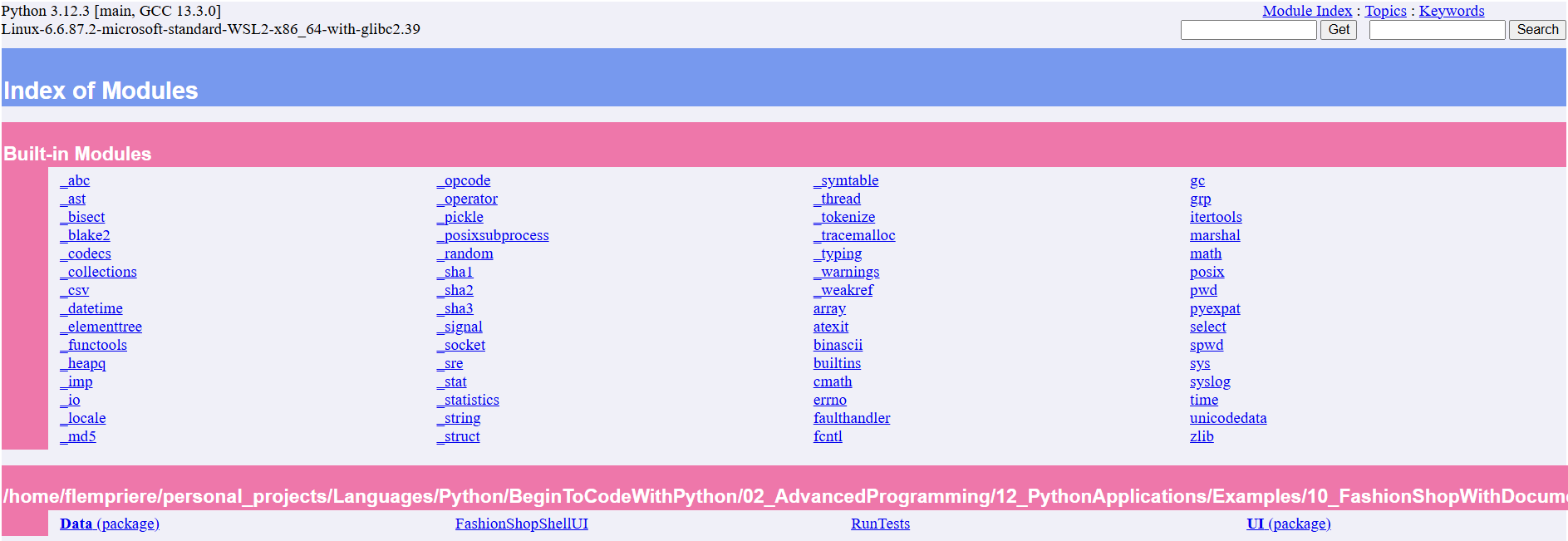
We can see the site contains links to python’s built-in modules
But there is also a section for our own documented modules,
You can also use the built-in search bar
The docstrings are now displayed for the module, class and each method
Modules that run as programs can break pydoc
Recall that when loaded a module will execute all of the statements that it includes. For pydoc to generate the docstrings and site material from a module it first has to load it. This means that it will lead to those statements being executed.
This means that if we had a module that represented an entry point to looping user input (such as FashionShopShellUI.py) it would immediately start executing and freeze pydoc. This is a reminder to use name guards to control the context in which a module can be executed.
    if __name__ = "__main__":
# do things that should only occur if the module is executed directlyunittest is an in-built framework for performing unit testing
pydoc is an inbuilt python program for generating html sites of python documentationyield allows us to write functions that serve as iteratorsIs everything in python an object?
int that it doesn’t possessShould I feel bad if I don’t understand things like lambda expressions and yield?
What happens when I move python packages from one computer to another?
When should I write my documentation and tests?
As you go along
There is a natural back and forth between documentation, tests and implementation
For a typical example workflow we might have a part of project we’re working on
Generally it is much easier to document a program as you write it and things are fresh than it is to go back and do it all
Same for tests